
Purchasing Environmental, Health, and Safety (EHS) software is a strategic decision that impacts an organization’s ability to ensure compliance, enhance workplace safety, and streamline operations. With a crowded market of solutions, each offering distinct functionalities, navigating the buying process requires a structured approach. This guide outlines a comprehensive, step-by-step process for how to buy EHS software, focusing on assessing needs, defining criteria, evaluating vendors, and planning implementation. Drawing on industry best practices, it aims to help organizations make informed decisions that align with their operational and regulatory goals.
What Is EHS Software and Why It Matters
EHS software is a digital platform designed to manage environmental, health, and safety processes within an organization. It centralizes functions such as incident reporting, risk assessments, compliance tracking, audits, and document management, replacing manual or fragmented systems. By automating workflows and providing real-time data access, EHS software supports regulatory compliance, mitigates workplace risks, and promotes a proactive safety culture.
Industries like manufacturing, construction, and logistics rely on EHS software to meet standards such as ISO 14001 and ISO 45001, while also supporting Environmental, Social, and Governance (ESG) objectives through sustainability tracking. Understanding its role is critical when learning how to buy EHS software, as it ensures the selected solution aligns with organizational priorities.
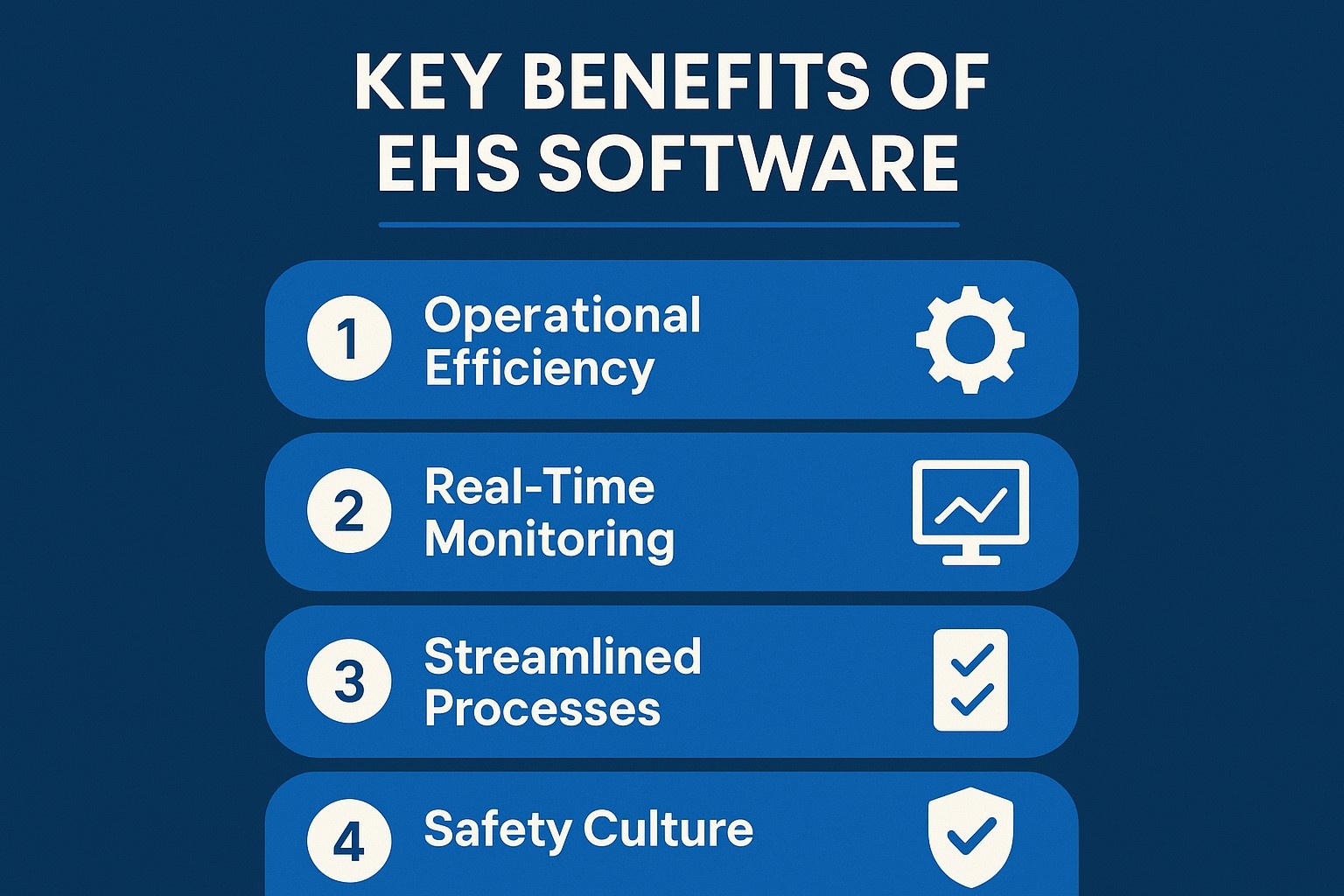
Key Benefits of EHS Software
Investing in EHS software delivers significant operational advantages that enhance safety, compliance, and efficiency across an organization. By centralizing and automating critical processes, it addresses inefficiencies in traditional systems and supports a proactive approach to risk management. Below, we outline the primary benefits that make EHS software a valuable asset when considering how to buy the right solution.
Centralized Data Management and Operational Efficiency
EHS software consolidates all environmental, health, and safety data into a single platform, eliminating scattered or duplicated information and automating routine tasks like audits, inspections, and training scheduling. This centralization ensures critical documents, such as safety data sheets or incident reports, are easily accessible and accurate, streamlining data retrieval during audits or regulatory reviews. By reducing reliance on paper-based systems or fragmented databases and integrating with systems like ERP or HRMS, the software minimizes manual effort, eliminates data silos, and enhances workflow efficiency. This results in significant time and resource savings, reducing downtime and compliance-related expenses.
Real-Time Monitoring and Proactive Risk Management
With real-time monitoring capabilities, EHS software enables organizations to stay ahead of potential risks. Automated alerts notify safety teams of incidents, near misses, or compliance deadlines, allowing for swift action. Real-time dashboards highlight trends in incident data, enabling identification of high-risk areas and implementation of preventive measures, minimizing workplace hazards and fostering continuous safety improvement.
Streamlined Compliance Processes
Navigating complex regulatory requirements, such as ISO 14001, ISO 45001, or local occupational health standards, becomes more manageable with EHS software. The platform automates compliance tracking, ensuring permits, certifications, and regulatory updates are monitored efficiently. It also generates audit-ready reports, simplifying preparation for inspections and reducing administrative burdens, helping maintain adherence to standards and avoid penalties.
Enhanced Worker Engagement and Safety Culture
EHS software fosters greater employee involvement by enabling workers to report incidents, hazards, or near misses through mobile-friendly interfaces. Features like in-app photo uploads encourage frontline staff to contribute to safety efforts in real time. By involving all levels of the organization, from field workers to executives, the software builds a stronger safety culture where employees feel empowered to prioritize safety standards.
Step 1: Assessing Your Organization’s Needs
The first step in how to buy EHS software is conducting a thorough assessment of organizational needs to ensure the solution addresses current challenges and supports future goals.
Engaging Stakeholders for Comprehensive Input
Involving stakeholders from departments such as safety, operations, human resources, and IT is essential. Each group offers unique perspectives on challenges and required functionalities. For instance, safety teams may prioritize incident reporting, while IT focuses on system integration. Engaging stakeholders early ensures a complete understanding of needs and fosters buy-in for the adoption process.
Conducting a Gap Analysis
A gap analysis evaluates existing EHS processes to identify inefficiencies, such as manual data entry, delayed incident reporting, or compliance gaps. Reviewing workflows for incident management, risk assessments, and training helps pinpoint areas where software can add value. This analysis shapes specific objectives, ensuring the purchased software addresses operational weaknesses.
Defining Clear Objectives
Clear objectives are vital when deciding how to buy EHS software. These may include reducing incident response times, improving compliance tracking, or enhancing data accessibility. Objectives should align with the organization’s EHS strategy, such as achieving regulatory compliance or streamlining audits. A collaborative vision statement serves as a reference for evaluating software options.
Step 2: Defining Selection Criteria
Establishing clear selection criteria is critical for evaluating EHS software options consistently. These criteria should reflect the organization’s priorities and operational context.
Essential Functionalities
When buying EHS software, prioritize features that address specific needs:
- Incident management for reporting, tracking, and analyzing incidents or near misses.
- Compliance monitoring to track permits, regulations, and certifications.
- Audit and inspection tools, preferably mobile-friendly, for managing inspections and corrective actions.
- Risk assessment capabilities to identify and mitigate hazards.
- Training management for scheduling and documenting employee training.
These functionalities ensure the software meets core EHS requirements.
Integration with Existing Systems
The software must integrate seamlessly with existing systems, such as Enterprise Resource Planning (ERP), Human Resources Management Systems (HRMS), or Facilities Management tools. Integration reduces data duplication and enhances efficiency, especially for multi-site operations. Compatibility with IoT devices for real-time data collection is also a key consideration.
Scalability and Customization Options
A scalable platform accommodates organizational growth, such as expanding to new locations or adapting to new regulations. Customization ensures the software aligns with industry-specific needs, such as chemical management in manufacturing or contractor safety in construction. Flexibility is essential for long-term value when buying EHS software.
Usability and Accessibility Features
An intuitive interface drives adoption across all user groups, from frontline workers to executives. Mobile accessibility, including offline capabilities, enables real-time hazard or incident reporting in the field. Streamlined workflows and clear navigation reduce the learning curve for non-technical users.
Advanced Reporting and Analytics
Robust reporting tools, including customizable dashboards and real-time analytics, allow organizations to monitor performance metrics, identify trends, and generate compliance reports. The ability to distinguish between major and minor incidents or categorize injuries enhances proactive risk management.
Budget and Total Cost of Ownership
Understanding the total cost of ownership is crucial when learning how to buy EHS software. Costs include licensing, implementation, training, and ongoing support. Evaluate these against potential savings, such as reduced incident-related expenses or improved compliance efficiency. Transparent pricing models, whether subscription-based or one-time licenses, help align the investment with budget constraints.
Vendor Support and Ownership Stability
Reliable vendor support, including training, technical assistance, and regular updates, ensures long-term success. Assessing the vendor’s ownership structure is equally important. Private equity-owned firms may prioritize short-term profitability, leading to risks like reduced service quality or price hikes post-acquisition. Stable vendors are more likely to maintain consistent support and invest in innovation.
Step 3: Researching and Shortlisting Vendors
Researching vendors is a pivotal step in how to buy EHS software, narrowing down options to a manageable shortlist.
- Utilizing Industry Resources. Industry reports, such as the Verdantix Green Quadrant: EHS Software 2026, provide objective comparisons of leading platforms based on functionality and market momentum. These evaluate vendors’ customer success, financial stability, and technical capabilities. Professional networks and industry trade shows also offer insights into vendor performance and user experiences.
- Building a Shortlist. A shortlist of three to five vendors balances variety with manageability. Each vendor should meet essential criteria, such as specific functionalities or integration capabilities. This focused approach streamlines the evaluation process and prevents information overload.

Why Choose CampusOptics for Your EHS Software Needs
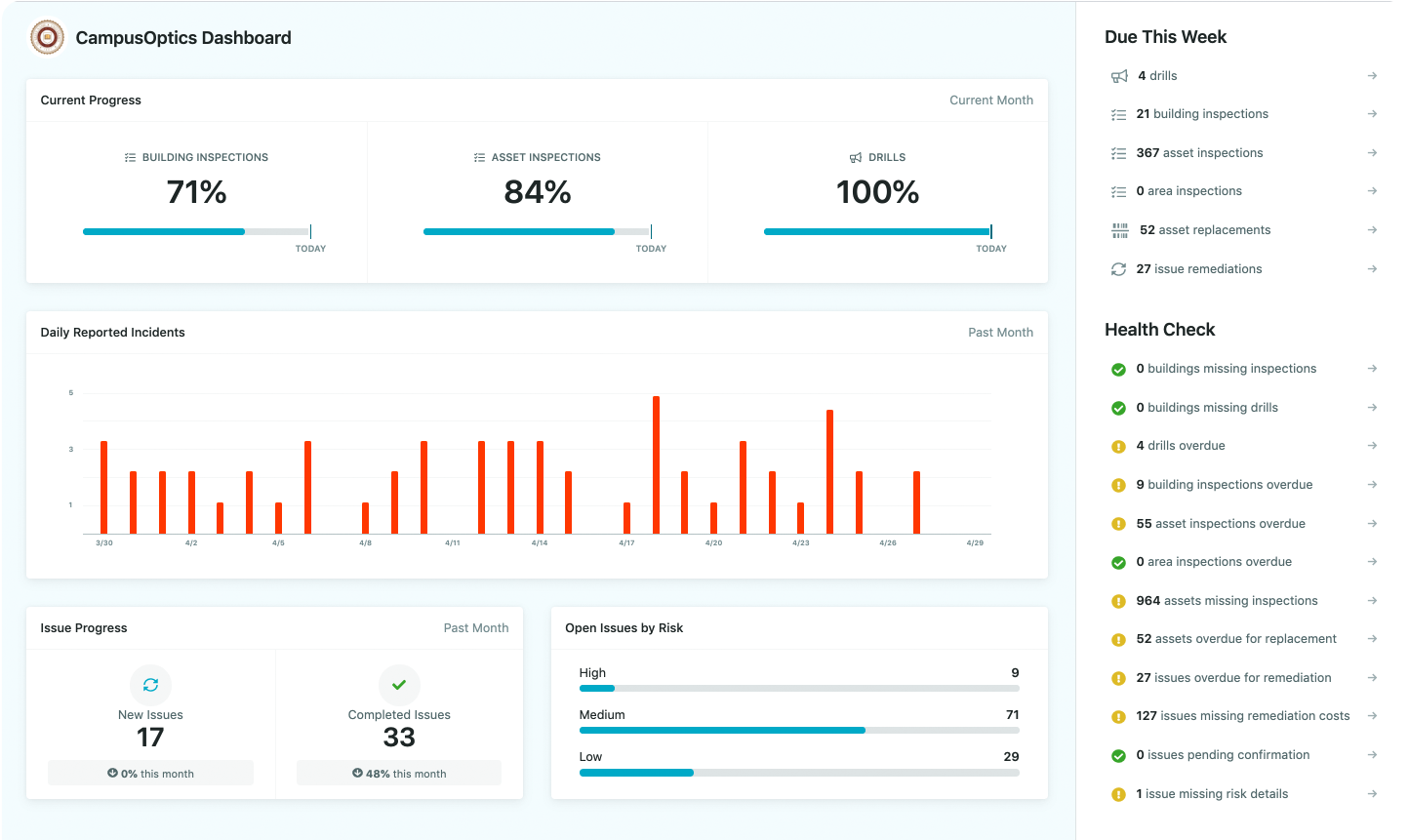
As CampusOptics, we understand that buying EHS software for higher education requires a solution tailored to the unique challenges of campus environments. Our platform is designed specifically for colleges and universities, offering a cross-functional approach that enhances collaboration, reduces institutional risk, and strengthens safety culture. With features like mobile accessibility and real-time data management, we address the diverse needs of safety professionals, from chemical inventory tracking to emergency planning, ensuring compliance across complex campus settings.
Our rapid implementation process gets you up and running in weeks, not months, while our mobile app for iOS and Android supports on-the-go access to critical safety data. When evaluating EHS software, we believe CampusOptics stands out as a specialized solution that simplifies the buying process for educational institutions by aligning with their distinct operational and regulatory requirements.
Step 4: Evaluating Vendors Through Demos
Demos are a critical step in how to buy EHS software, offering a practical assessment of platform capabilities.
Preparing for Effective Demos
Develop a list of use cases tied to selection criteria, such as incident reporting workflows or compliance tracking. Share these with vendors in advance to ensure demos address specific needs. Involving stakeholders, including end users, provides diverse perspectives on functionality and usability.
Assessing Functionality and Alignment
During demos, evaluate how the software handles core processes, such as generating reports or conducting risk assessments. Assess usability by observing the interface and navigation. Focus on features that align with objectives, while noting any additional functionalities that add value.
Ensuring Industry-Specific Customization
The platform should offer customization to meet industry-specific needs. For example, universities may require chemical inventory tools, while logistics firms need robust mobile reporting. Follow-up demos with additional stakeholders can confirm the platform’s suitability across departments.
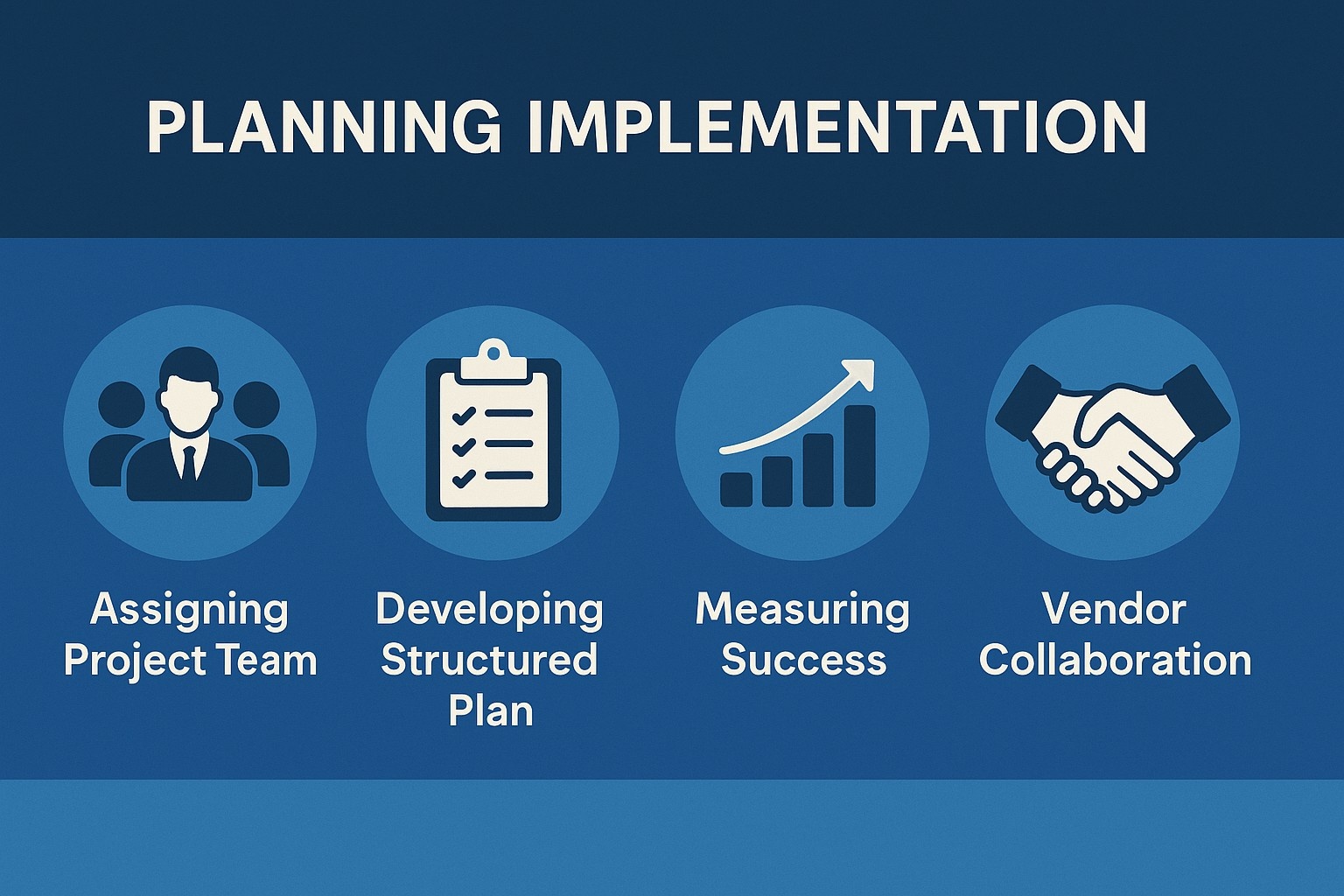
Step 5: Planning Implementation and Onboarding
Effective implementation is the final step in how to buy EHS software, ensuring smooth adoption and sustained value.
Assigning a Dedicated Project Team
A project team, including representatives from safety, IT, and management, oversees implementation. This team coordinates tasks like data migration, system configuration, and user training, acting as the primary liaison with the vendor.
Developing a Structured Rollout Plan
A rollout plan with defined milestones ensures an organized implementation process. Key tasks include:
- Scheduling role-specific training for administrators, managers, and frontline workers.
- Migrating existing data to the new platform.
- Testing integrations with existing systems.
- Establishing protocols for ongoing maintenance and updates.
Role-specific training maximizes adoption by addressing diverse user needs.
Measuring Success Metrics
Translate selection criteria into measurable metrics, such as reduced incident response times or improved audit completion rates. Regular reviews assess performance, identifying areas for improvement. Transparent reporting, such as sharing safety data, fosters accountability.
Maintaining Ongoing Vendor Collaboration
Regular communication with the vendor ensures access to updates, new features, and prompt issue resolution. Ongoing collaboration maximizes the platform’s long-term value as organizational needs evolve.
Challenges in Buying EHS Software
The process of buying EHS software involves challenges that require proactive management. Employee resistance may stem from unfamiliarity or perceived complexity. Comprehensive training and clear communication about benefits can mitigate this. Budget constraints pose another challenge, as initial costs may be significant. However, long-term savings from reduced incidents often justify the investment. Integration with legacy systems can be complex, requiring thorough vendor support and compatibility testing. Data security, particularly for cloud-based platforms, demands robust encryption and compliance with standards.
Conclusion
Buying EHS software is a complex but critical process that requires careful planning and evaluation. By systematically assessing organizational needs, defining clear selection criteria, researching vendors, evaluating demos, and planning implementation, organizations can select a solution that enhances compliance, safety, and efficiency. The process demands collaboration across departments and a focus on long-term scalability to ensure the software remains effective as needs evolve. With a structured approach, organizations can navigate the market confidently and invest in a platform that delivers lasting value.
Frequently Asked Questions
What is EHS software?
EHS software is a digital platform that centralizes environmental, health, and safety processes, including incident reporting, compliance tracking, and risk assessments.
Why is stakeholder engagement critical when buying EHS software?
Engaging stakeholders ensures the software meets diverse departmental needs, improving adoption and alignment with operational goals.
How does EHS software support regulatory compliance?
It automates compliance tracking, generates audit-ready reports, and ensures adherence to standards like ISO 14001 and ISO 45001.
What should organizations prioritize when evaluating vendors?
Focus on functionality, integration, scalability, usability, and vendor support to ensure the software meets organizational needs.
How can organizations ensure successful implementation?
A structured rollout plan, role-specific training, and measurable success metrics ensure smooth adoption and sustained value.
What are common challenges when buying EHS software?
Challenges include employee resistance, budget constraints, and integration complexities, which can be addressed through training and thorough vendor evaluation.
How does EHS software improve workplace safety?
It enables real-time monitoring, proactive risk management, and centralized data access, fostering a stronger safety culture.