If you’re still using clipboards and spreadsheets to manage safety inspections, you’re not alone. A lot of teams are in the same boat – juggling audits, checklists, and corrective actions across disconnected tools. That’s where EHS audit software steps in. It’s not just another system to log into. It’s a way to actually make the inspection process easier, more consistent, and a lot less frustrating.
In this article, we’ll talk through what EHS audit software is, how it works, and why it’s becoming a go-to tool for safety teams trying to keep up with regulations and day-to-day realities. Whether you’re in higher education, manufacturing, or facilities, the goal is the same: fewer gaps, fewer headaches, and safer environments. Let’s get into it.
What Is EHS Audit Software?
EHS audit software is a digital solution designed to help organizations manage, track, and streamline their environmental, health, and safety inspections. It replaces manual processes like spreadsheets, paper checklists, and endless email follow-ups with a centralized platform that brings everything together – planning, execution, follow-up, and reporting.
At its best, this type of software doesn’t just digitize your old way of doing things. It helps teams standardize inspections, spot issues earlier, assign corrective actions quickly, and maintain compliance across departments and locations. For industries juggling regulations and complexity, it’s a game changer.
Why More Teams Are Turning to EHS Audit Tools
If your audit process still involves chasing people for updates or hunting through folders for reports, you’re not alone. That’s often the turning point for organizations who decide it’s time for an upgrade. Here are a few common reasons they make the switch:
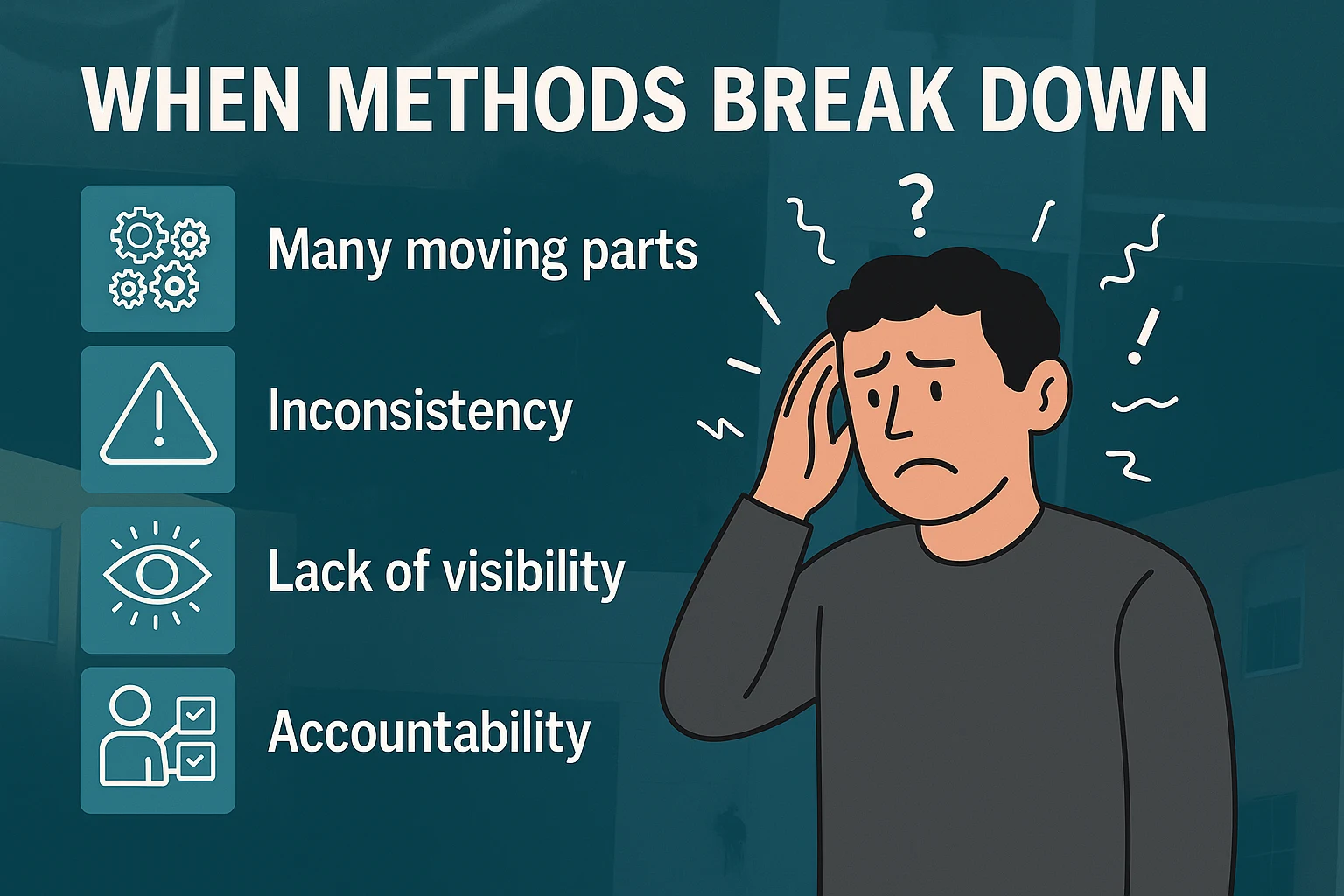
When Manual Methods Break Down
- Too many moving parts: As businesses scale, audits get more complex, and managing them manually becomes error-prone.
- Inconsistency: Different sites or departments running audits differently leads to gaps.
- Lack of visibility: Safety leaders want real-time views into what’s happening – not scattered emails.
- Accountability: Without a system tracking tasks, issues fall through the cracks.
- Compliance pressure: Regulatory audits require clean, accessible records.
- Time drain: Manual entry and follow-up suck up hours that could be spent improving safety.
If the process of running audits is taking more time than actually acting on them, that’s a pretty strong signal that it’s time to rethink your tools.
What Good EHS Audit Software Can Do
Not every system checks the right boxes. Here’s what separates the useful ones from the rest.
Customizable Audit Templates
You should be able to use built-in checklists, but also customize them for your own sites, assets, and risk areas. Logic-based branching, scoring, or conditional questions help teams work faster without skipping steps.
Smart Scheduling & Reminders
Look for software that lets you schedule recurring or one-off audits, assign them to team members, and send automated alerts. That helps ensure nothing gets forgotten, even across multiple departments or shifts.
Mobile-Friendly Field Data Capture
Auditors aren’t sitting at desks all day. Good systems allow them to:
- Complete checklists on a mobile app
- Snap photos or video for documentation
- Use voice-to-text to log notes
- Work offline and sync later if needed
This is key for inspections in labs, factories, construction sites, or large campuses.
Issue Management & Corrective Actions
One of the biggest benefits is being able to assign and track actions from findings:
- Set due dates
- Add priority levels
- Escalate overdue items
- Monitor status in real-time
It closes the loop between identifying problems and actually fixing them.
Reporting & Dashboards
Strong analytics let you go beyond individual audits and see patterns:
- Which areas have the most issues?
- Are corrective actions getting closed in time?
- What’s improving, and what’s falling behind?
Look for customizable dashboards, filterable reports, and export options.
Integration with Other EHS Systems
Audit software shouldn’t live in a silo. The best tools connect with:
- Incident management platforms
- HR Training Records
- Facilities Workorder Systems
- Space Management Systems
This helps teams work from a single source of truth.
What the Audit Process Looks Like in Practice
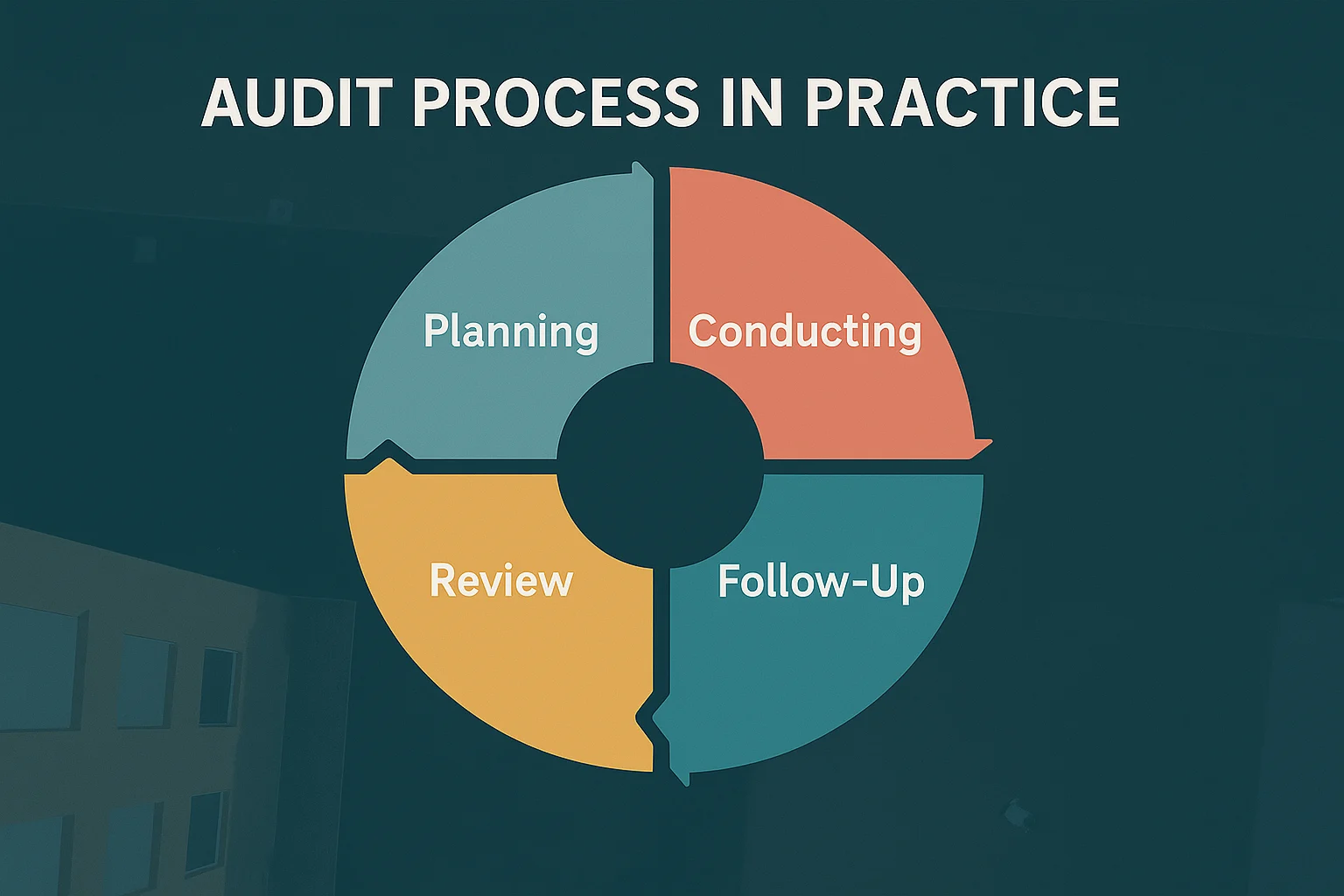
It helps to think of EHS audits as a cycle with clear steps. Here’s a walkthrough of how the software supports each phase:
1. Planning the Audit
The audit process starts with selecting the specific location, department, or system that needs to be reviewed. From there, roles are assigned, whether that means designating a lead auditor or involving multiple team members. Checklists are tailored to fit the unique conditions of the site using conditional logic. Once everything is set, a schedule is locked in and the relevant people are notified to prepare for the inspection.
2. Conducting the Audit
When it’s time to perform the audit, most of the work happens in the field using mobile tools. Auditors go through each item in the checklist, logging their findings as they go. Photos and notes can be added on the spot to support observations, and any nonconformities or risks are flagged right then and there, helping teams respond sooner rather than later.
3. Follow-Up & Action Planning
As soon as findings are submitted, the system helps turn those into actionable tasks. Corrective actions are created and assigned with clear deadlines. Notes, root causes, and priority levels are added to provide context, while alerts are sent out to loop in the right people and keep things moving forward.
4. Review & Approval
After the audit is completed, safety managers review the findings and action plans to make sure everything’s covered. Reports are generated automatically and can be shared with internal or external stakeholders. This phase also gives teams a chance to compare results against previous audits to see what’s improving and what still needs attention.
5. Monitoring & Closure
The software continues to track action items until they’re resolved. If something gets stuck or goes past its due date, the system flags it and notifies the appropriate parties. Once everything is wrapped up, the audit and its outcomes are stored securely, ready for future reference or regulatory review.
6. Continuous Improvement
Finally, the insights collected across audits help shape future strategy. Trends start to emerge – recurring issues, areas of improvement, or departments that consistently meet standards. Checklists can be adjusted based on what’s been learned, and leadership gets a clearer picture of the organization’s safety performance as a whole.
Rolling It Out: Turning the Plan into Real-World Success
Rolling out EHS audit software isn’t just about flipping a switch. A smooth launch often depends on taking a practical, phased approach. Many teams find it helpful to start small, maybe with just one department or audit type – to test the system before expanding. Involving the people who will actually use the tool day-to-day, especially auditors, helps shape useful checklist formats and workflows.
Data cleanup is another critical step, especially if you’re migrating old records. Simplifying the initial setup keeps things manageable, while live training sessions (instead of just handing out PDFs) tend to make adoption easier. Early feedback is key, adjusting based on actual use can prevent frustration later. Also, be intentional with user permissions so people only see or edit what’s relevant to them. And finally, track and share your wins. Demonstrating saved time, fewer errors, or improved visibility goes a long way in building support across the organization.
What to Ask When Choosing a System
Before committing to any EHS audit software, it’s worth taking a step back and asking a few important questions to make sure it actually fits your needs. First, find out if the system supports offline audits – this can be a deal-breaker for field teams or remote sites. Check whether the checklists are customizable and if you can add logic like conditional questions or scoring.
Dashboards are another area to explore. Are they flexible and easy to tailor, or are you stuck with a rigid layout? Integration matters too. Ask whether the software can connect with your existing EHS tools like incident reporting, training, or document control systems.
Implementation timelines vary, so it’s good to get a realistic estimate. Can the system scale across multiple departments or locations as your needs grow? You’ll also want to understand what kind of customer support is included – live chat, onboarding help, knowledge base, or dedicated reps.
Permissions should be easy to manage, especially if you have different levels of access for different roles. And finally, ask if you can run a small pilot before rolling it out fully. A short test drive usually reveals more than watching a bunch of demos.

Our Perspective at CampusOptics: Built for the Realities of Higher Ed Safety
As the team behind CampusOptics, we’ve seen firsthand how disjointed and frustrating traditional audit processes can be, especially on college and university campuses. Inspections happen in hundreds of locations, often managed by different departments using a mix of paper forms, spreadsheets, and legacy databases. That kind of patchwork system makes it hard to see what’s actually going on, let alone keep everyone on the same page.
That’s exactly why we built CampusOptics. Our platform was designed from the ground up for the complex safety needs of higher education. We don’t just offer EHS audit software, we deliver a complete solution that ties together inspections, chemical inventory, hazardous waste tracking, asset management, issue remediation, and even emergency planning in one place. Everything works together because we know how important that “big picture” is when you’re responsible for campus-wide safety.
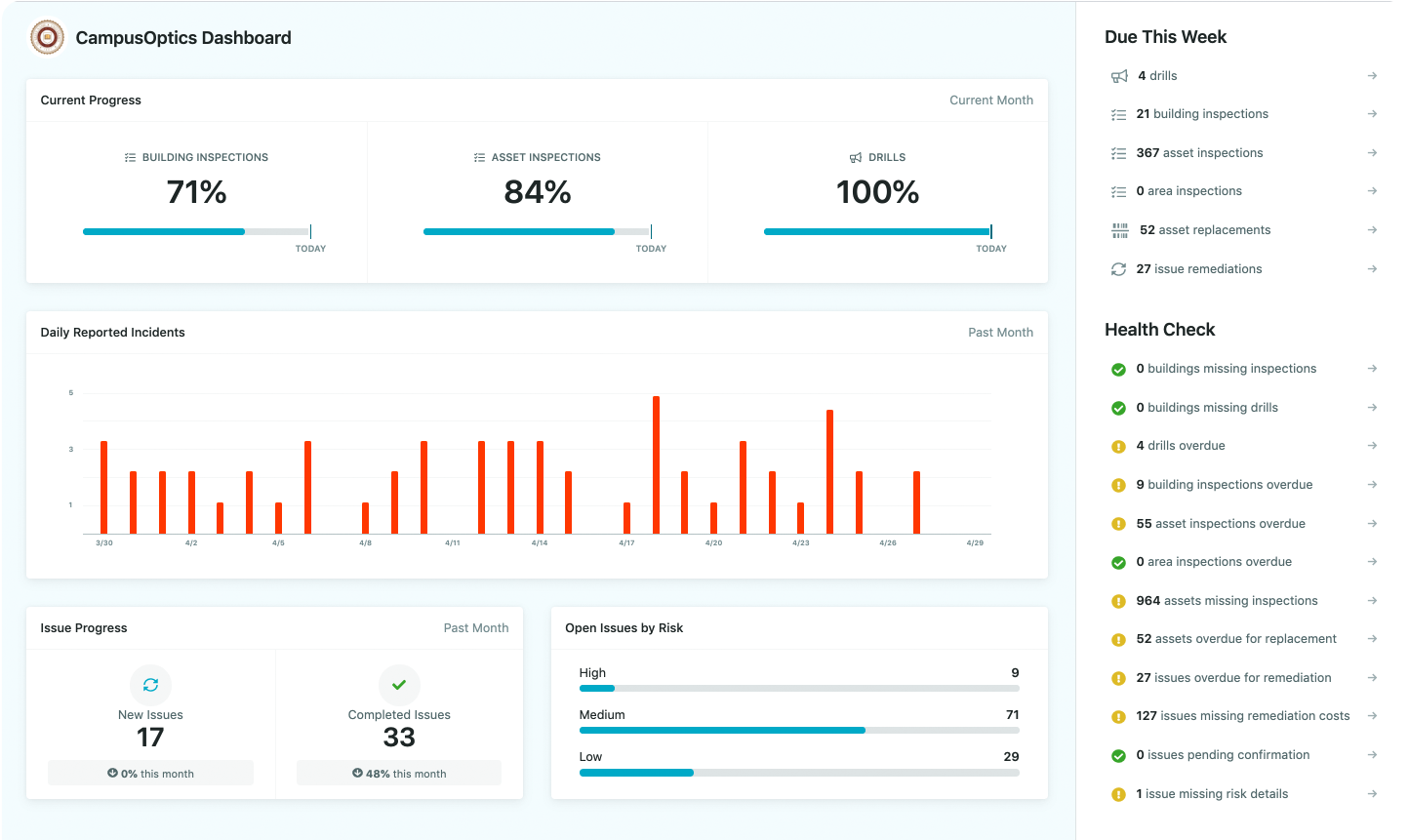
With our platform, you can:
- Create inspection policies for labs, buildings, or assets
- Assign and monitor corrective actions across departments
- Barcode and scan safety assets with your phone
- Manage chemical inventories and hazardous waste with real-time data
- Keep emergency pre-plans, permits, and safety protocols accessible
- Track all compliance activities with a shared calendar
- Roll out training and monitor completion from a central dashboard
- Enable unlimited users with tailored access and permissions
We know safety professionals don’t spend their days behind a desk. That’s why our mobile-first approach lets teams complete inspections, document findings, and access key safety data on the go, whether they’re in a lab, at a satellite campus, or responding to a maintenance call in the field.
More than anything, our goal is to make sure campus safety teams have tools that actually work the way they work – flexible, collaborative, and easy to use. Because when audit tools fit into your day instead of slowing it down, better outcomes follow. And safer campuses do too.
Wrapping It Up
At the end of the day, EHS audit software isn’t just a digital version of a checklist. It’s a smarter, more practical way to stay ahead of risks, hold people accountable, and keep safety from slipping through the cracks. Whether you’re overseeing a single site or managing inspections across dozens of buildings, having the right system in place changes how the entire process feels – less reactive, less chaotic, and far more effective.
For us at CampusOptics, it’s never just been about software. It’s about solving real problems for people who are on the hook for keeping their campuses, teams, or facilities safe every day. When the tools are easy to use and designed with real-world challenges in mind, everything works better, from inspections and training to communication and compliance.
If you’re still relying on spreadsheets and email threads to keep things on track, now might be the right time to step back and ask if that approach is still serving you. Because there’s a better way, and it doesn’t have to be complicated to be powerful.
FAQ
What exactly does EHS audit software replace?
It replaces scattered spreadsheets, paper forms, manual checklists, and all those follow-up emails that get lost or buried. Instead of running audits across disconnected tools, it puts everything into one system where tasks, issues, and reports are tracked from start to finish.
Is EHS audit software only for big organizations?
Not at all. It’s just as useful for small safety teams as it is for large campuses or manufacturing groups. If you’re managing inspections and corrective actions regularly, even across a few departments, you’ll likely benefit from the organization and visibility a dedicated tool provides.
Can I use it on my phone or tablet in the field?
Yes, and that’s honestly one of the best parts. Most systems today (ours included) offer mobile functionality, so audits can be completed on the go, even offline if needed. Photos, notes, and findings can all be captured in real time and synced later.