Emergencies don’t wait for office hours, and they don’t always happen when you’re sitting at a desk. Whether it’s a server outage, a safety hazard, or a customer-facing issue, someone has to step in quickly. Mobile incident management is about making that response possible from anywhere, not just from a control room. It combines real-time alerts, contextual data, and built-in actions so responders can do more than acknowledge an alert – they can actually act on it.
What Mobile Incident Management Really Means
Mobile incident management is more than just receiving alerts on your phone. It’s about being able to respond fully, from wherever you are. That means you can:
- Start a new incident report
- Add photos or notes in real time
- Assign severity levels or notify the right people
- Track resolution steps and add updates
A mobile interface should offer the same power as a desktop console – not a stripped-down version with limited control. When done right, it lets safety officers, IT staff, technicians, or facility managers act fast without needing to get back to a laptop.
What it Looks Like in Practice
You’re walking across campus and spot a leaking pipe in a hallway. Instead of jotting down a note or emailing someone later, you:
- Open the app
- Log the incident with a quick description
- Snap a photo
- Tag the location using your device’s GPS
- Mark it as urgent and send it off
That’s mobile incident management in action – fast, clear, and traceable.
Why More Organizations Are Shifting to Mobile Tools
Here’s the reality: the people who need to respond to incidents are rarely sitting in front of a screen all day. A health and safety officer could be mid-inspection in a lab. A maintenance team might be working across multiple buildings. A system administrator might be offsite but still on call during nights or weekends. These roles are mobile by nature, and their tools need to support that way of working.
Mobile incident management platforms are gaining traction because they let people act wherever they are. They don’t just offer read-only dashboards or push alerts – they allow full participation. That includes submitting reports, viewing live updates, assigning responsibility, or kicking off workflows without needing to be back at a desk.
What Teams Need
Teams in the field need the ability to report incidents immediately, so issues don’t get forgotten or delayed. They also need real-time access to incident data, no matter where they are, so decisions can be based on the latest available information. Just as important is the ability to communicate without bouncing between apps or tools. When everything is handled in one place, coordination is smoother and nothing falls through the cracks.
This shift toward mobile tools isn’t just a nod to convenience. It’s a practical move toward readiness. When teams can manage incidents as they unfold – without being tied to a workstation – they’re not just reacting faster, they’re responding smarter.
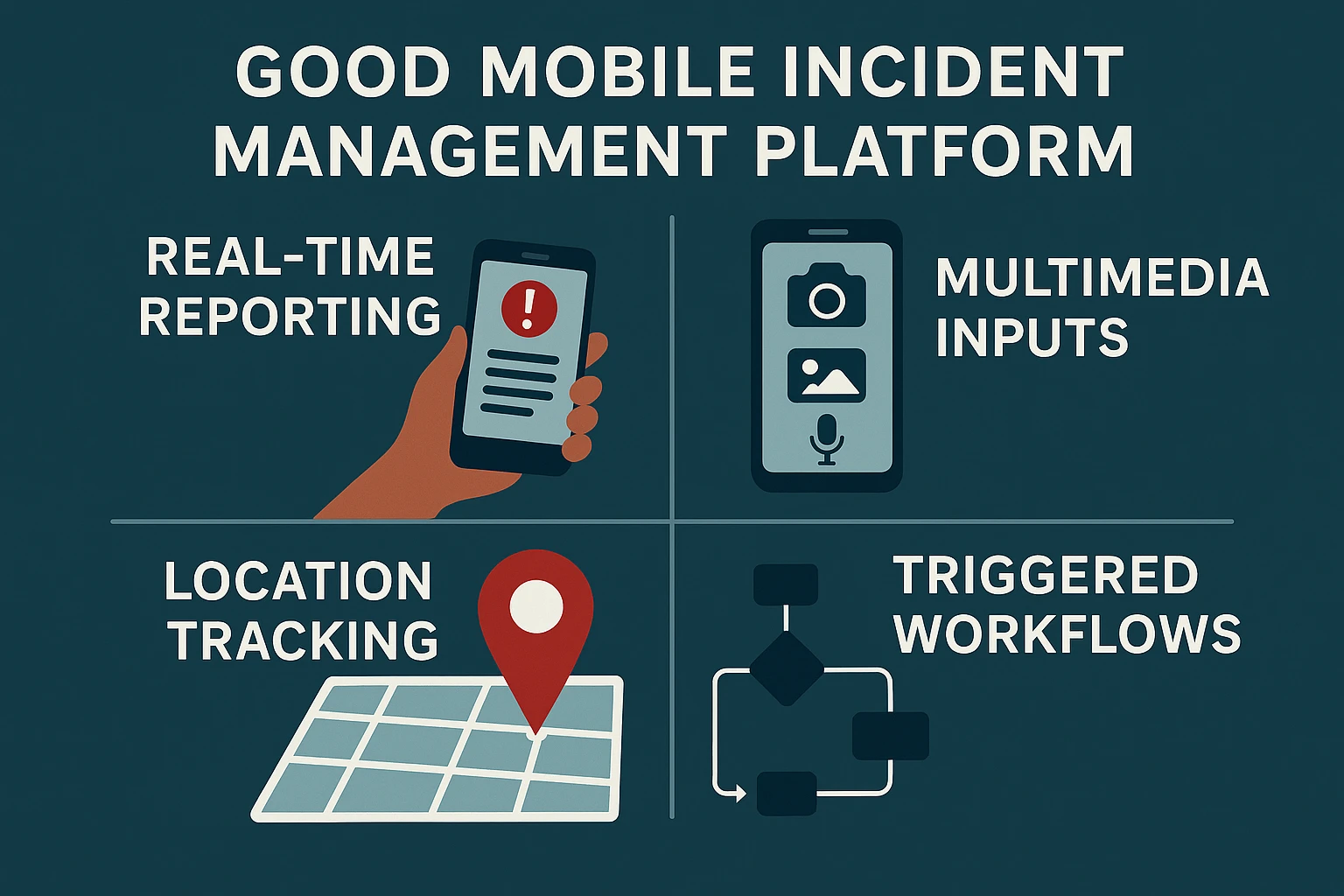
What Makes a Good Mobile Incident Management Platform?
Let’s break down the features that actually make a difference. These aren’t bells and whistles – they’re the pieces that let teams stay effective even when they’re off-site.
Real-Time Reporting
You don’t want someone writing notes on paper and typing them up later. With mobile tools, incidents are reported as they happen. That keeps the response timeline tight and avoids things slipping through the cracks.
Multimedia Inputs
Sometimes words aren’t enough. A photo of a fallen light fixture, a short video of a leaking valve, or an audio note from a stressed-out witness all add valuable context that plain text can’t deliver.
Smart Location Tracking
GPS features mean no one has to explain, “It’s in the north wing, by the second stairwell.” The app already knows where the incident is and logs that automatically.
Communication in One Place
Instead of scattered emails or messages, all updates live inside the incident record. Everyone can see what’s been done, who’s involved, and what’s next – in one view.
Triggered Workflows
Mobile platforms aren’t just for logging information. The better ones let you take action too. That could mean:
- Notifying specific team members
- Creating a ticket in a service system
- Starting a pre-configured response plan
You’re not just capturing the problem – you’re solving it, or at least putting it in motion.
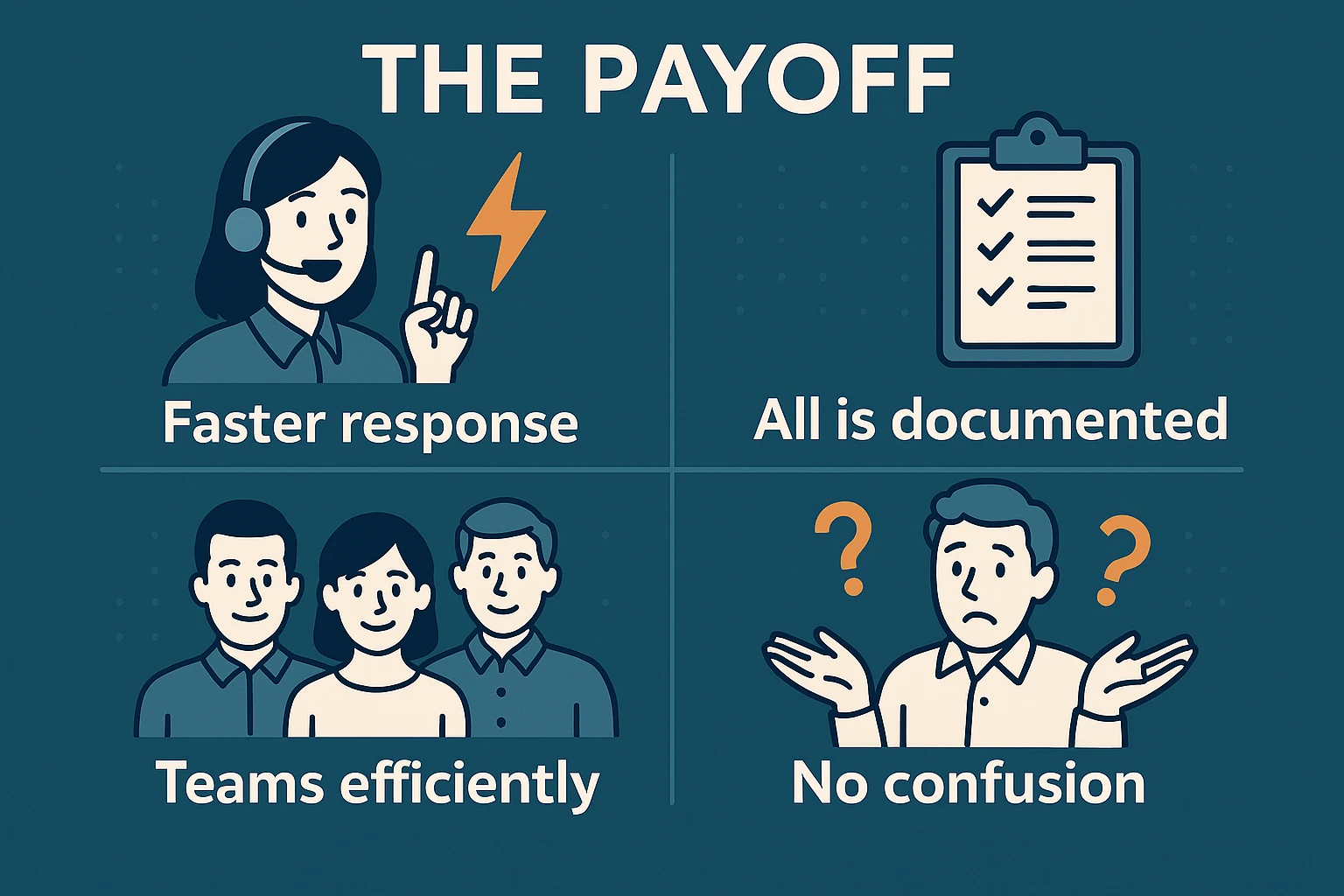
The Payoff: Real Benefits That Stick
Mobile incident management isn’t just about convenience. It delivers real, tangible improvements across response time, communication, and accountability. Here’s what that looks like in practice:
- Faster response means fewer problems: When someone can flag an issue the moment it appears, the chain of action starts sooner. That window between “this looks bad” and “we’re on it” shrinks – and with it, the risk of things getting worse.
- Everything is documented automatically: You get a detailed timeline of who did what, when, and how. It’s exactly the kind of traceable history that helps with audits, improves internal processes, and supports compliance without extra effort.
- Teams are deployed more efficiently: Real-time visibility into severity and location means leaders can assign the right people instead of guessing. No wasted effort, no unnecessary delays.
- No confusion about who reported what: Every incident log comes with a name, timestamp, and context. That kind of clarity makes follow-up easier, builds accountability, and helps identify recurring patterns over time.
This isn’t theoretical – it’s what teams experience once mobile becomes part of how they manage incidents. Clearer data, faster action, better coordination. It adds up.
What to Look for in a Mobile Incident Solution
Not all mobile incident management tools are created equal. If you’re considering one for your organization, it’s worth looking beyond the marketing claims and checking for features that actually make life easier when things go wrong. Here’s what to focus on.
Native Mobile Support
A true mobile app is built for smartphones and tablets from the ground up. It runs faster, handles notifications better, and feels smoother than a web page squeezed onto a small screen. That matters when you’re in the middle of an incident and need to act without fiddling around.
Simple and Clear Interface
Not everyone using the app will be technical or trained on incident systems. The interface should be straightforward enough for anyone to pick up quickly, with clear menus and obvious buttons. This lowers the barrier to entry and makes adoption much smoother.
Support for Attachments and Media
Photos, videos, and voice notes often tell the story better than text. The best mobile platforms make it easy to attach these files directly to incident reports, giving responders richer context without extra steps.
Strong Security Features
Incidents can involve sensitive data, so security can’t be an afterthought. Look for features like encryption, role-based access, and integration with your existing login system. This protects both your team and your organization while still making it simple to get work done.
The Bigger Picture: Why It’s Worth Investing In
Mobile incident management is more than a shiny new tool. It’s a shift in how organizations stay responsive and resilient. Whether you’re a safety officer, an IT manager, or someone responsible for service delivery, this kind of system makes your job more manageable – and your outcomes more consistent.
The ability to log, act, and resolve on the move isn’t a luxury anymore. It’s just how smart teams work.

Our Take at CampusOptics
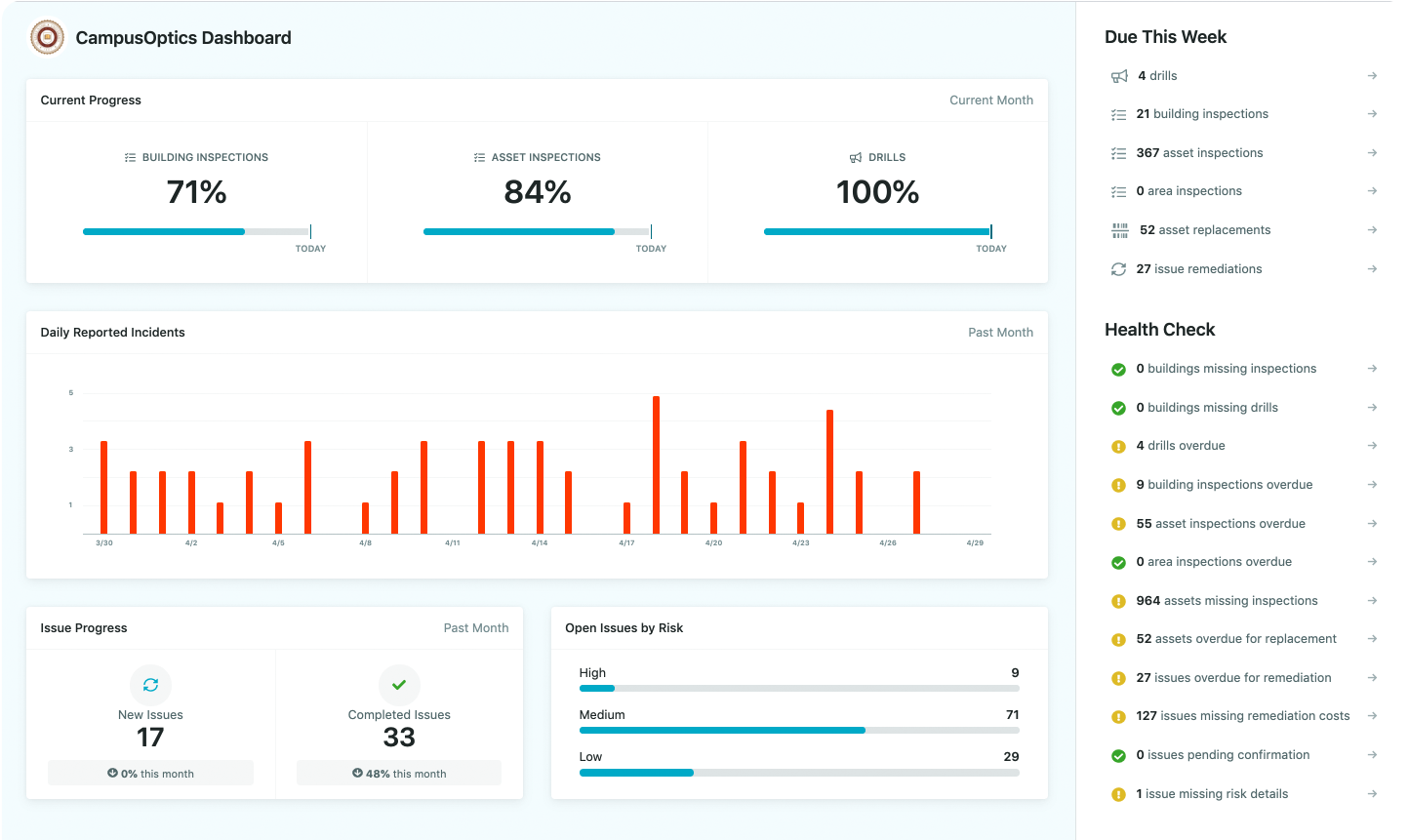
At CampusOptics, we’ve spent years listening to the real challenges safety professionals face every day – especially in higher education. It’s clear that managing incidents through spreadsheets and email chains just doesn’t cut it anymore. That’s why mobile access isn’t a feature we added later. It’s baked into everything we do.
Our platform was designed with on-the-go work in mind, because we know EH&S teams, fire safety officers, and emergency planners aren’t sitting behind desks all day. Whether someone needs to log a chemical spill, document a safety issue, or pull up an emergency pre-plan in the field, they can do it right from their phone. With barcode scanning, talk-to-text, GPS-based mapping, and secure mobile forms, we’re making sure the people who need to respond quickly actually can – with the right context in hand.
Mobile incident management isn’t just something we support – it’s a core part of how we help colleges and universities strengthen safety culture, improve collaboration, and stay ahead of risks that can’t wait.
Wrapping It Up
The way we manage incidents has changed – or at least, it should have. When something goes wrong, being able to respond quickly and clearly isn’t a bonus, it’s the baseline. Mobile incident management gives teams the tools to do just that, wherever they are, without having to wait, guess, or dig through layers of disconnected systems. Whether you’re working in facilities, fire safety, risk, or EH&S, the need for real-time action and visibility is the same.
At CampusOptics, we’ve seen firsthand what happens when people have the right tools in the right moments. It’s not about adding more software – it’s about simplifying how teams respond to the things that matter most. And when you’re out in the field with your phone in hand and a decision to make, that simplicity is everything.
FAQ
What exactly counts as mobile incident management?
It’s the ability to report, track, and resolve incidents using a mobile device – and not just log basic info, but take action right from your phone. That includes adding context, escalating the issue, and even kicking off workflows without needing a laptop nearby.
Do I really need a dedicated app, or can I just use email and spreadsheets on my phone?
You could – but it’s clunky and limited. A purpose-built mobile platform keeps everything in one place, logs activity automatically, and lets your team actually respond instead of just notify. The difference in speed and clarity is night and day.
How hard is it to roll out mobile incident tools across a campus or large organization?
Surprisingly doable. The setup is usually straightforward, especially if the platform was built for environments like higher education. Training helps, but most teams pick it up fast because it fits how they already work.